Product
A threat model you can keep up to date
Most threat models are a diagram drawn once and forgotten. Kresheen builds yours from the files that define your system, so you can run it again whenever they change.
1 · Ingest
Start from what you already have
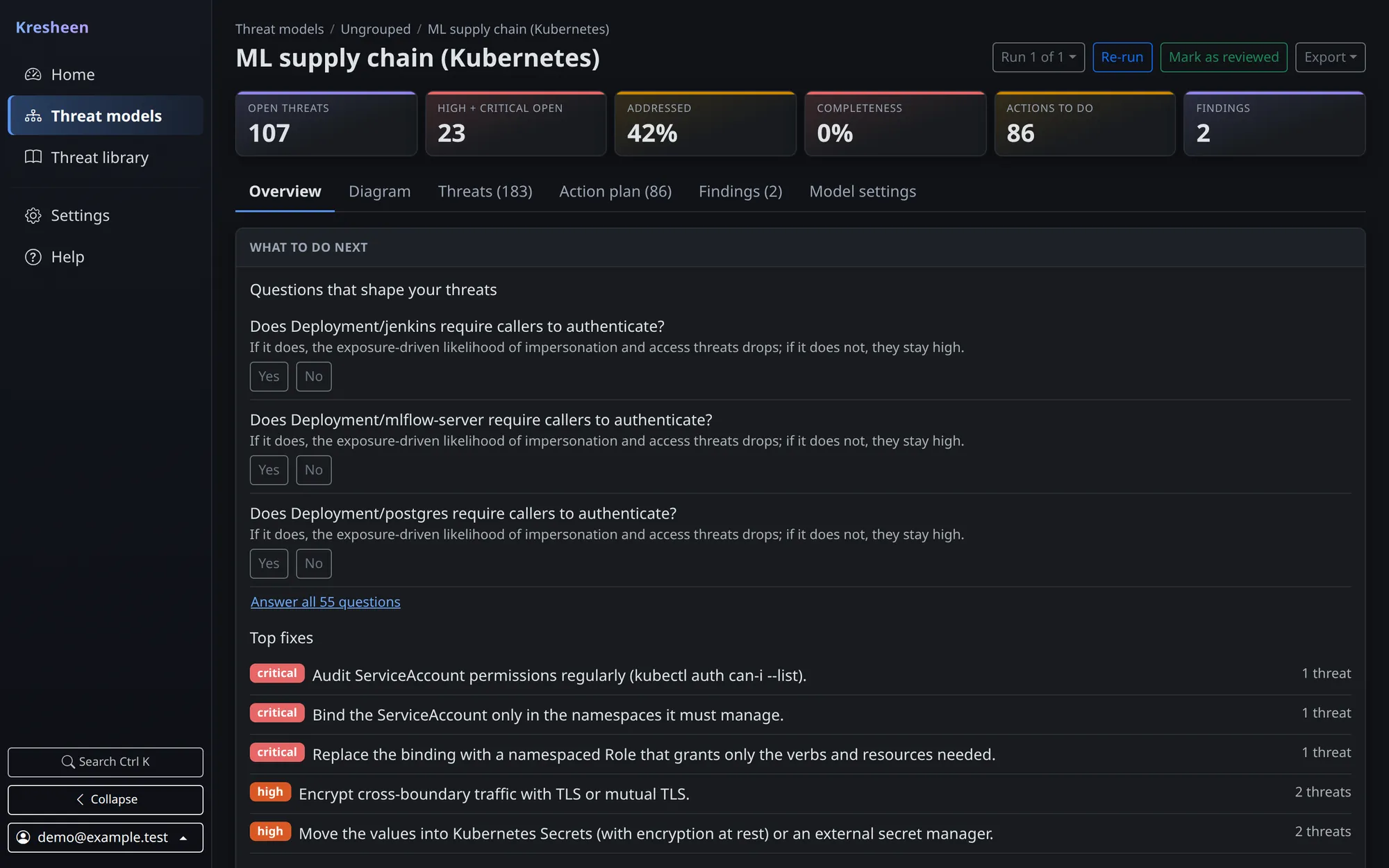
Upload Kubernetes YAML or a Terraform plan, connect a GitHub repository, or import a diagram from Threat Dragon, draw.io, Mermaid or Threagile. No infrastructure? Answer a few plain questions for a starter model, or draw it on a blank canvas.
A GitHub source also gets a dependency scan with Grype, so known vulnerabilities become evidence on the components that ship them.
2 · Model
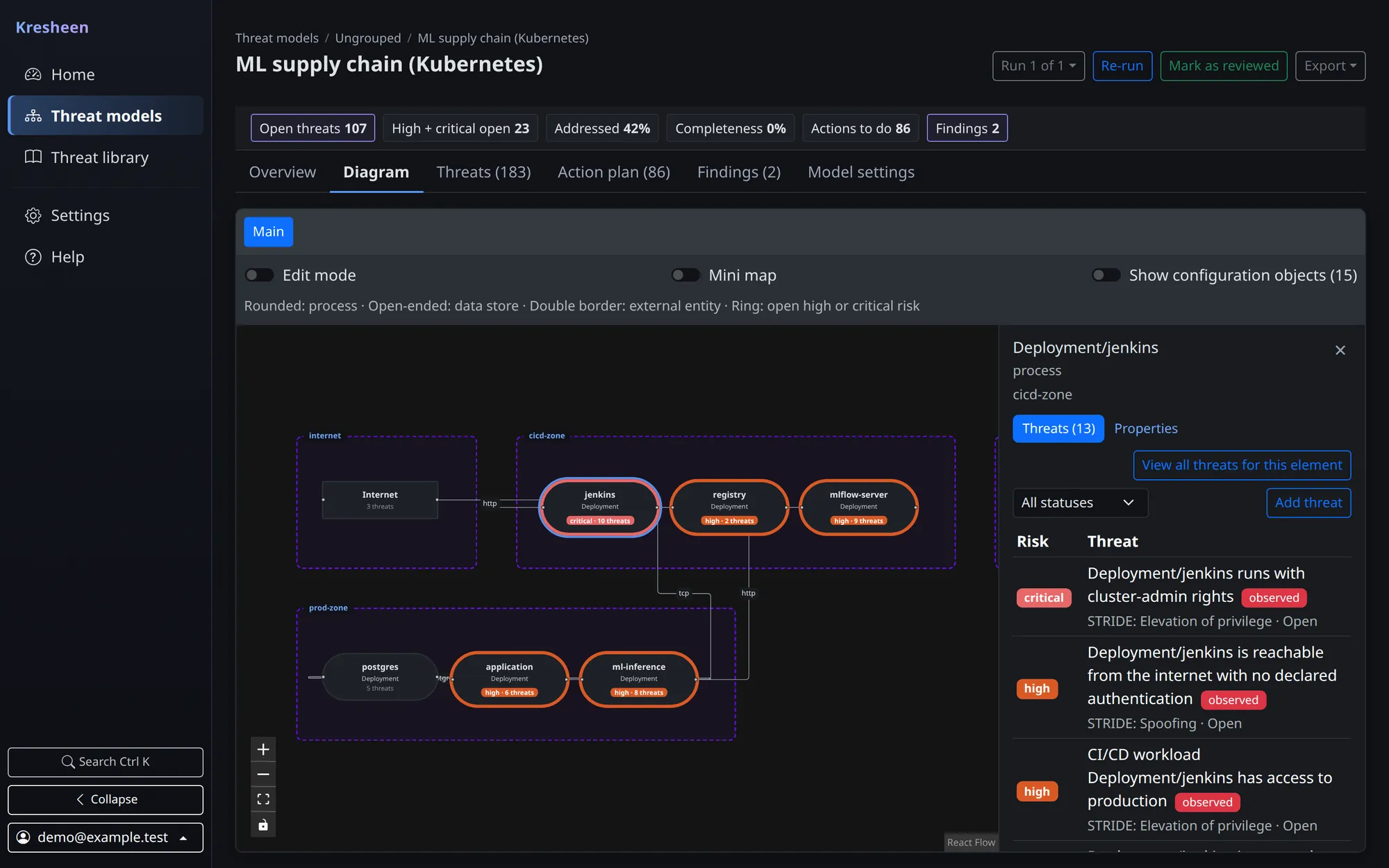
A data flow diagram, drawn and editable
Components, data stores, external entities and the flows between them are laid out inside their trust boundaries. Rename things, add what the files cannot show, split the model into several diagrams, and state facts like "stores card data" or "requires authentication". Your changes survive the next run.
3 · Analyse
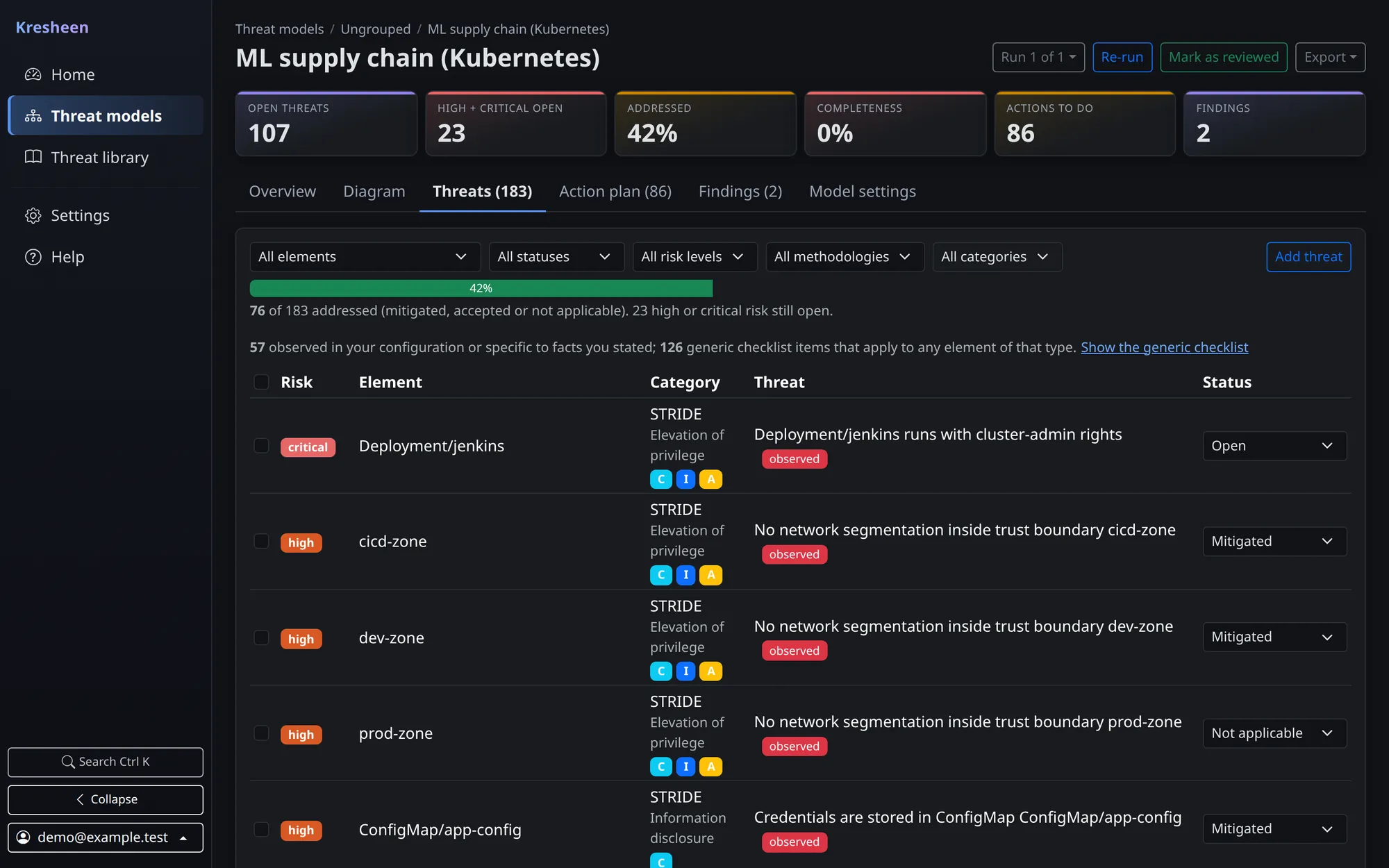
Threats that say why they are listed
STRIDE rules run over every element of the model, and misconfiguration checks read your Kubernetes and Terraform files. Kresheen Pro, coming soon, extends the threat knowledge base and the methodology coverage. Every threat is marked as observed in your configuration, specific to facts you stated, or a generic checklist item, so you know which ones to read first. Risk is impact times likelihood, and likelihood goes up only with evidence such as a known-exploited CVE.
4 · Act
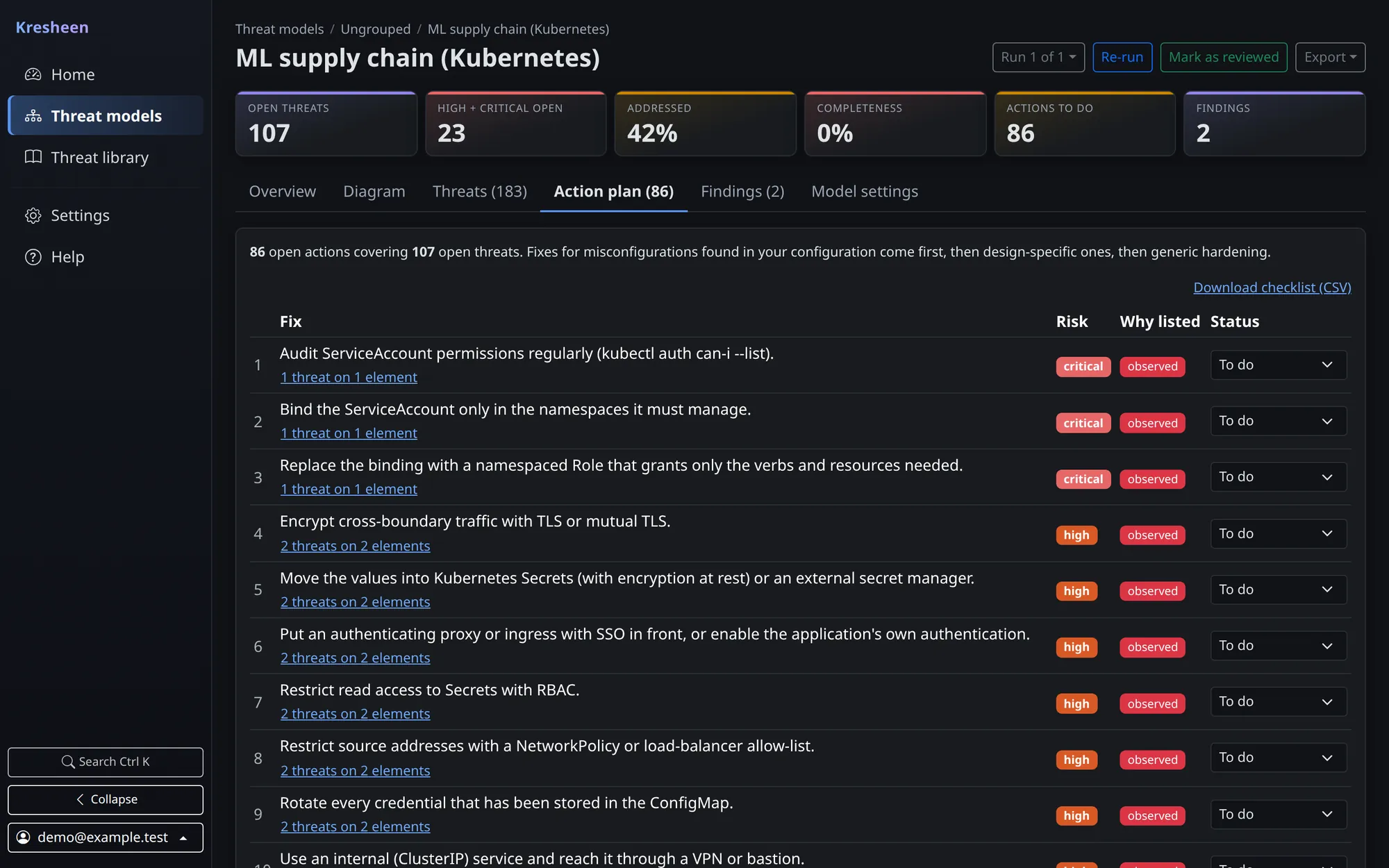
An action plan, not a wall of findings
Threats are grouped by the fix that addresses them and ranked so the misconfigurations found in your own files come first. Triage with a required reason for accepting a risk, track progress, and export a report your security team and engineers can both read.
5 · Keep it current
Re-run on every change
Every run is kept. Compare two runs to see new and resolved threats, new components and new
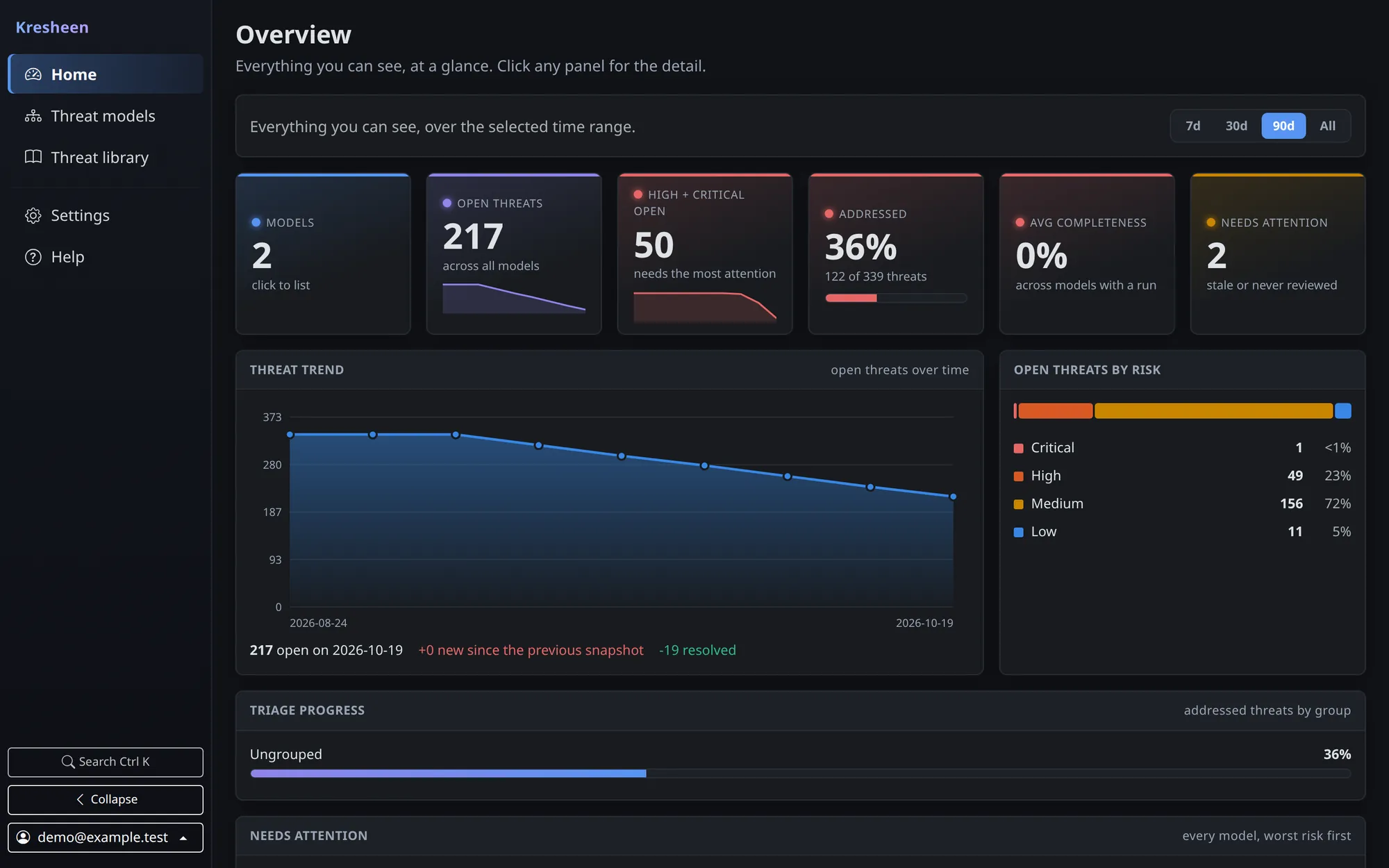
flows across trust boundaries. Kresheen flags models that have gone stale, and the overview
shows the trend across all of them. In CI, kresheen ci and the GitHub Action fail
a pull request that introduces new risk.
Under the hood
Small to run, careful with your data
Self-hosted
One FastAPI service with a React interface. Docker Compose for a laptop, a Helm chart for Kubernetes.
SQLite or PostgreSQL
Schema migrations run on startup, with an automatic backup first for SQLite.
Rule-based
The same input always gives the same threats. No model to drift, no surprise in review.
Secrets stay secret
Stored credentials are encrypted, never returned by the API, and secret values in manifests are redacted on ingest.
Optional AI, off by default
Bring your own Anthropic key to draft intake answers or explain a threat. AI never writes threats or findings.
Teams included
Local users, groups as shared workspaces and an audit log in the open-source edition.
See it on your own system
It takes about five minutes to start, and the sample model shows a finished result right away.